How do I know if my solar panels are connected to the grid
The most intuitive way to determine if a solar system is grid-connected is to observe the inverter indicator lights: if they are solid green or the display prompts "Grid Tied" or "Normal", it represents a successful connection.
Secondly, check the bi-directional meter; if a "-" sign or the word "Export" appears while the screen cycles through readings, it indicates that excess power is being sent back to the grid in real-time.
In addition, check through the mobile monitoring app; if the instantaneous power generation (e.g., 3.5 kW) has real-time fluctuations and includes "surplus power to the grid" data, the grid-tied status can be confirmed.
Ensuring grid connection is the technical prerequisite for achieving electricity bill offsets and receiving local policy subsidies (usually ranging from 0.1-0.4 yuan per kWh).
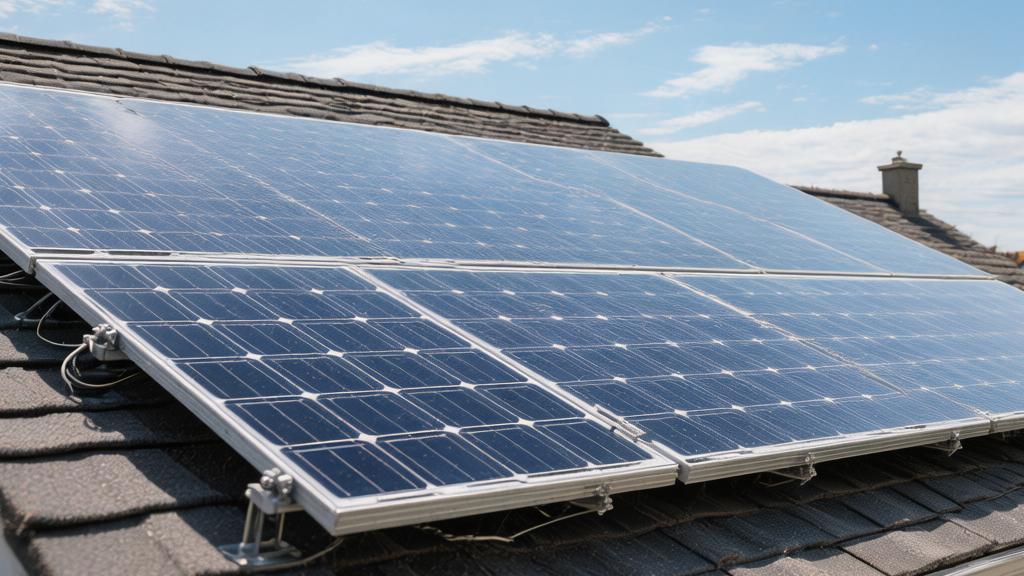
Check Your Inverter Status
Check the Inverter
As the "brain" of the photovoltaic system, the core task of the grid-tied inverter is to precisely synchronize the 300V to 1000V direct current (DC) generated by the solar modules into the 230V/400V alternating current (AC) required by the grid.
To confirm a successful grid connection, first observe the MPPT (Maximum Power Point Tracking) efficiency. Static MPPT efficiency of mainstream brands such as Huawei, Sungrow, or Growatt should typically be greater than 99.8%.
When the system is in a grid-tied state, the boost circuit inside the inverter raises the voltage to a level slightly higher than the grid voltage, usually 1% to 3% higher, to ensure the current can flow forward into the grid.
Watch the Screen
Key Parameter | Technical Specifications and Data Details |
AC Output Voltage | Real-time monitoring of AC terminal voltage; the standard value for successful grid connection should be stable around 220 V/230 V. According to the State Grid Q/GDW 1480 standard, the allowable fluctuation range is between +7% and -10%, i.e., 198V to 253V. If the reading shows 0V or is outside this range, the internal 12V relay will force a disconnection. |
Output Frequency | Confirm the frequency counter value. The prerequisite for grid connection is phase synchronization. The domestic standard frequency is 50 Hz, and the inverter must lock the output phase within a very narrow range of 49.5 Hz to 50.2 Hz. If the frequency deviation exceeds ±0.5 Hz, the system will trigger over-frequency/under-frequency protection within 0.2 seconds. |
DC Input Voltage | Check the Vmp (operating voltage) on the DC side. For single-phase systems, the startup voltage is usually 80V to 120V; for three-phase systems, it must reach over 160V. If the DC voltage reaches 600V but the AC output power is 0W, it indicates the inverter has woken up but has not performed the grid-tie action. |
Insulation Impedance | The inverter performs an ISO insulation resistance test before each grid connection. The value must be higher than 0.1 MΩ (for systems under 30 kW). If rain causes the module backsheet to become damp, dropping the impedance below 30kΩ, the inverter will report "ISO Fault" and refuse grid connection. |
Calculate Conversion Rate
The rated conversion efficiency of the inverter is typically between 97% and 98.5%.
You can verify this by calculating (AC output power ÷ DC input power) × 100%.
For example, if the screen shows a DC input power of 5,200W while the AC output power is only 4,500W, the conversion efficiency is only 86.5%. This is far below the nominal value of 98%, indicating that the internal IGBT power tubes may have switching losses of more than 10%, or the heat sink temperature has exceeded 75℃, triggering derated output.
Under high-intensity sunlight (approx. 1,000 W/㎡), a 10 kW inverter should be able to continuously output more than 9.5 kW of AC power. If it remains below 5 kW for a long time, check if the DC cable has a contact resistance of more than 0.5 ohms.
Check Fault Codes
Inverters are usually equipped with 2 to 3 high-brightness LED indicators with a diameter of 5 mm.
A solid green light represents a 100% grid connection success rate;
Flashing may indicate that the system is in a 60-second grid-tie countdown self-test.
If the red light illuminates, a hexadecimal or 4-digit error code must be retrieved.
For example, "Error 31" usually represents grid overvoltage (Grid Overvoltage), which occurs with a probability of about 15% among residents at the end of a transformer, meaning the grid cannot absorb more power.
In addition, leakage current (Leakage Current) detection is critical. Once a residual current of more than 30 mA is detected, the system will cut off the connection within 0.3 seconds to ensure personal safety.
Monitor Your Smart Meter
Watch the Readings
In the grid-tied operating state, you need to pay attention to the codes that automatically rotate every 5 to 10 seconds on the LCD screen.
Usually, 1.8.0 represents total positive active energy, which is the electricity you consume from the grid; while 2.8.0 is the key data confirming successful grid connection, representing total reverse active energy, which is the surplus power sent to the grid by the solar system.
If your 10 kW system is running normally at 12:00 noon and the household load is below 2 kW, then the value in the 2.8.0 register should increase at a rate of approximately 8 kWh per hour.
By comparing the difference in 2.8.0 over a continuous 24-hour period, you can calculate yesterday's grid-tied power.
For example, if the difference between morning and evening readings is 35 kWh, calculated at a grid-tied price of 0.4 yuan per kWh, the direct cash income generated that day is 14 yuan.
Check the Codes
Data Dimension | Metering Parameters and Technical Details |
Reverse Energy (2.8.0) | This is the ultimate proof of grid connection. If this value does not update for 60 minutes when the solar intensity is 800 W/㎡, it indicates that the system is generating power but it is all being consumed by appliances, or the grid-tie function has failed. |
Instantaneous Power (P) | Look for the interface with the "P" label. If the value shows a negative number (e.g., -5.20 kW), it means that 5,200 W of power is currently flowing into the grid through the meter, proving that your inverter's output voltage has successfully overcome the 230 V grid resistance. |
Current Phase (I) | Check the A/B/C three-phase current. For three-phase systems over 15 kW, confirm that the current deviation rate for each phase is below 15% to prevent 5% additional line loss caused by unbalanced loads. |
Power Factor (cosφ) | Grid connection standards require this value to be between 0.98 and 1.00. If the value drops below 0.85, it indicates the system has generated excessive reactive current, which will reduce power transmission efficiency by 2% to 3%. |
Count the Flashes
On the meter casing, there are usually infrared or LED pulse indicators with a diameter of about 3 mm.
Observe the label next to the indicator light, such as 1600 imp/kWh. This means every time 1 unit of electricity flows through, the indicator light flashes 1600 times.
In the grid-tied state, you need to observe the "reverse pulse" light.
During bright noon, if your system output power reaches 6.4 kW, the flash frequency of the indicator light should be approximately 2.8 times per second (Calculation formula: 6.4 kW × 1600 ÷ 3,600 s).
This high-frequency flashing is the physical manifestation of the system being 100% in a high-power grid-export state.
If the pulse light is solid and not flashing or if the flashing interval exceeds 30 seconds, it indicates the grid-export current is below 0.1A. Your system of 5 kW or more may have an 80% power limit or severe shading loss.
Watch the Direction
Most modern smart meters have an arrow icon about 2 mm wide on the screen used to indicate the real-time flow direction of the current.
When the 300V-600V DC generated by solar panels is converted by the inverter and input into the distribution box, if the production exceeds the total power of the TV, refrigerator (approx. 150W), and air conditioner (approx. 1.5 kW), the arrow should point to the left (away from home). This represents electrical energy flowing back to the grid at a signal speed of about 1.5 meters/second.
If the arrow always points to the right (towards home), even if the inverter shows it is generating power, it means your power generation only offsets part of the consumption and has not achieved true "surplus power to the grid".
For a system with 20 pieces of 550W modules, on a sunny day at 2 PM, you should see the arrow pointing steadily to the left, which represents your asset creating passive income.
Use the Monitoring App
Check the Curves
On the main interface of the App, the most important data dimension is the 24-hour power characteristic curve.
A 10 kW system with normal grid connection should show a smooth parabola on a cloudless sunny day, climbing from 6:30 AM, reaching its peak at 12:30 PM, and returning to zero at 18:30 PM.
If under 1,000 W/㎡ noon sunlight, your 10 kW system power display is only 4.5 kW and the curve shows zigzag fluctuations, it indicates the system may have triggered "power-limited operation due to grid voltage exceeding 253 V".
By observing the integrity of the curve, you can determine if more than 5% of the power is lost due to cloud cover or local shadows (such as chimneys, wires).
For systems installed with power optimizers, the App can even display the independent operating voltage (Vmp) of each 550W module, ensuring the mismatch loss of individual modules is below 2%.
Monitor Efficiency
Data Dimension | Monitoring Parameters and Technical Indicators |
Self-consumption Rate | Real-time calculation of the ratio between appliance consumption and photovoltaic power generation. If the self-consumption rate stays between 30% and 40%, it means that a large part of your investment return comes from saving high-priced grid power at 0.6 yuan per unit. |
Grid-export Percentage | Statistical percentage of power delivered to the grid. If a 10 kW system has a grid-export rate exceeding 70%, it indicates that at noon, approximately 7 kWh of energy is being converted into cash income at a price of around 0.35 yuan. |
Inverter Efficiency | Monitor the (AC output ÷ DC input) ratio. The value should always be stable between 97.5% and 98.6%. If it falls below 95%, it indicates the internal IGBT loss is too large, and the heat generation may exceed 65℃. |
Energy Balance Table | Check the 24-hour energy flow diagram. The arrows should clearly show the complete path of electrical energy from modules (DC) to the inverter (AC), and then shunted to the home load and the external grid. |
Check Earnings
For example, in a high-quality sunlight area, a 5 kW system should have an annual power generation between 6,500 kWh and 7,500 kWh.
If the annual equivalent utilization hours displayed by the App are lower than 1,100 hours, it indicates that your system has a performance gap of more than 15%.
By setting the "electricity price parameters" in the App and entering the local grid-tied price of 0.4 yuan and the tiered price of 0.6 yuan, the system will automatically calculate the electricity bills saved and subsidies earned yesterday.
If earnings data is not updated for 48 consecutive hours, check the 4G signal strength of the collector to ensure the RSRP value is better than -100dBm, otherwise it will lead to a data loss rate of around 1%.